
Apple M6, 16 GB / 256 GB
Apple M6
CPU
16 GB
RAM
256 GB SSD
STORAGE
macOS
OS
$779.99
$899.00SAVE $119.01
Apple Mac mini (M6): compare 4 configurations by processor, memory, storage, connections and local price. Check the exact build and upgrade options before buying.
Updated
A twelve-core Apple M6 in a box of just 0.8 liters makes this Mac mini a strong desk machine for everyday work and coding on macOS. It brings Wi-Fi 7, three Thunderbolt ports and support for three displays. Memory is soldered, so choose the size you will need later on the day you buy. Skip it if you want a flexible homelab or a workstation with a graphics card.
It suits developers and everyday users who work in macOS and want a compact computer. At 127 x 127 x 50.8 mm with an internal power supply, it needs no brick on the desk. For local AI, check the exact model release, quantization, context length, runtime overhead and memory available after the operating system. System RAM and GPU VRAM are different limits; shared-memory allocation depends on firmware, drivers and the backend. CPU inference or partial offloading can change what loads and its speed. Installed capacity alone does not establish compatibility or useful generation speed. Check the current Ollama or LM Studio hardware documentation for the exact GPU and operating system.
Skip it if you plan to add memory or drives later, because there are no memory slots, no M.2 slots and no SATA bays. It is a poor fit for workstation duty, and macOS limits hypervisor choice for a homelab. There is no VESA mount for hanging it behind a monitor.
Everyday use is well suited: the twelve-core M6 runs macOS with Wi-Fi 7 and three Thunderbolt ports.
Coding is well suited too, with twelve cores, unified memory from 16 GB to 32 GB and support for three displays. The memory cannot be upgraded later, so pick the size you need at purchase; the 24 GB and 32 GB models leave more room than the 16 GB ones.
A homelab is workable: you get 2.5GbE as standard with a 10GbE option, but memory and storage are fixed at purchase and macOS limits which hypervisors you can run.
Local AI is workable. The 16 GB and 24 GB models share their unified memory between CPU and GPU, which suits small to mid-size quantized models. For local AI, check the exact model release, quantization, context length, runtime overhead and memory available after the operating system. System RAM and GPU VRAM are different limits; shared-memory allocation depends on firmware, drivers and the backend. CPU inference or partial offloading can change what loads and its speed. Installed capacity alone does not establish compatibility or useful generation speed. Check the current Ollama or LM Studio hardware documentation for the exact GPU and operating system. Apple does not state the memory bandwidth, and no generation speed figure is available.
Workstation use is a poor fit: there is no discrete graphics, no x8 or x16 card slot, no memory slots and too little memory for that work.
| Configuration | Everyday | Coding | Home lab | Local AI | Workstation |
|---|---|---|---|---|---|
| 16 GB / 256 GB | Good | Good | Workable | Workable | Not suited |
| 16 GB / 512 GB | Good | Good | Workable | Workable | Not suited |
| 24 GB / 512 GB | Good | Good | Workable | Workable | Not suited |
| 32 GB / 1 TB | Good | Good | Workable | Workable | Not suited |
All four configurations share the twelve-core Apple M6 and its 12-core GPU; only memory and storage change. The 16 GB model with 256 GB of storage is the entry point for everyday work, which is well suited. The 16 GB model with 512 GB gives you more room with the same memory. The 24 GB model with 512 GB adds memory for coding, and that memory cannot be added later. For local AI, check the exact model release, quantization, context length, runtime overhead and memory available after the operating system. System RAM and GPU VRAM are different limits; shared-memory allocation depends on firmware, drivers and the backend. CPU inference or partial offloading can change what loads and its speed. Installed capacity alone does not establish compatibility or useful generation speed. Check the current Ollama or LM Studio hardware documentation for the exact GPU and operating system.
There is no upgrade path inside this machine. Memory is soldered, there are no memory slots, and the maximum is 32 GB, which the top configuration already ships with. Storage works the same way: with no M.2 slots and no SATA bays, the internal drive you buy is the one you keep. Any extra space has to come from external drives instead. Apple does not state ECC support or memory speed.
Apple states support for up to three displays, and the single HDMI output is the only dedicated video port. Apple does not state the HDMI version. You get three Thunderbolt ports and no USB-A ports, so USB-A devices need an adapter or hub. The USB-C port count is also three. Wired networking is one Ethernet port at 2.5GbE with a 10GbE option, and wireless is Wi-Fi 7 with Bluetooth 6. For high-speed external connections, the Thunderbolt ports are what you have; there is no OCuLink.
Specifications are taken from the manufacturer. Fields we could not confirm are marked not confirmed. Source
Memory is soldered and capped at 32 GB, and with no M.2 slots or SATA bays, nothing inside can grow. There are no USB-A ports, no SD card reader and no VESA mount. Apple does not state the memory bandwidth, memory speed, HDMI version or TDP. The base model's 256 GB of storage cannot be expanded internally.
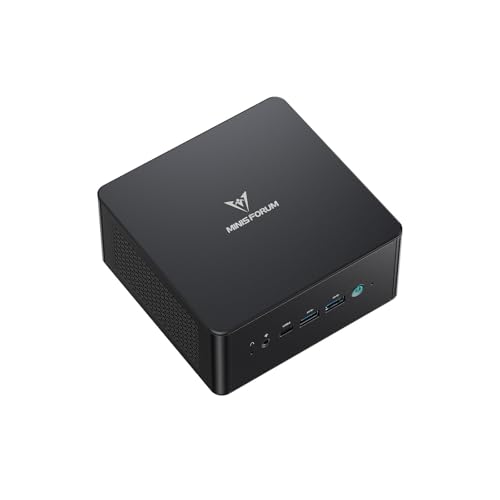
If the memory ceiling decides it for you, three machines go higher. The Lenovo ThinkCentre M70q Gen 5 uses an Intel Core i5-13400T and takes up to 64 GB rather than 32 GB. The MINISFORUM MS-A2 pairs an AMD Ryzen 9 9955HX with a maximum of 96 GB. The GMKtec NucBox K11 uses an AMD Ryzen 9 8945HS and also reaches 96 GB. Each swaps the Apple M6 for an Intel or AMD processor, which is the other difference to weigh.



No. Memory is soldered, there are no memory slots, and the maximum is 32 GB. For local AI, check the exact model release, quantization, context length, runtime overhead and memory available after the operating system. System RAM and GPU VRAM are different limits; shared-memory allocation depends on firmware, drivers and the backend. CPU inference or partial offloading can change what loads and its speed. Installed capacity alone does not establish compatibility or useful generation speed. Check the current Ollama or LM Studio hardware documentation for the exact GPU and operating system.
Apple states a maximum of three displays. The machine has one HDMI output and no DisplayPort outputs, and Apple does not state the HDMI version. Support for three screens is part of why it is well suited to coding.
It is workable for local AI. For local AI, check the exact model release, quantization, context length, runtime overhead and memory available after the operating system. System RAM and GPU VRAM are different limits; shared-memory allocation depends on firmware, drivers and the backend. CPU inference or partial offloading can change what loads and its speed. Installed capacity alone does not establish compatibility or useful generation speed. Check the current Ollama or LM Studio hardware documentation for the exact GPU and operating system. The 16 GB and 24 GB models suit small to mid-size quantized models.
It is workable. You get 2.5GbE as standard with a 10GbE option, but memory and storage are fixed at purchase and macOS limits hypervisor choice. With no M.2 slots or SATA bays, storage can only grow through external drives.
Fields we could not confirm from the manufacturer are marked not confirmed rather than guessed. Product prices and availability are accurate as of the date/time indicated and are subject to change. Any price and availability information displayed on Amazon.com at the time of purchase will apply to the purchase of this product.