
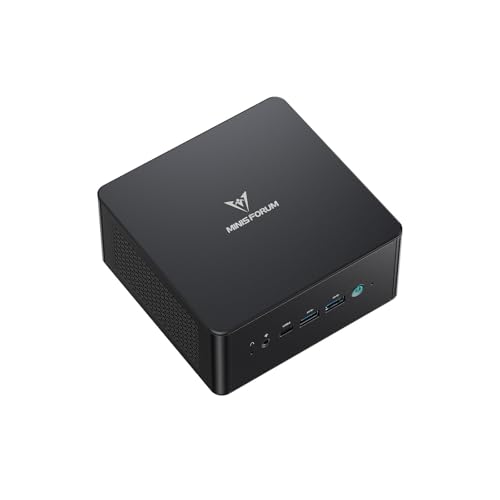
Apple Mac mini (M6)
Apple M6
CPU
16 GB
RAM
256 GB SSD
STORAGE
macOS
OS
$779.99
$899.00SAVE $119.01
Running language models on your own machine.
For local language models, check usable memory, model size, quantization and context length first. Leave room for the operating system and runtime. Shared or unified memory can make larger models practical, but the GPU backend, memory allocation and bandwidth still affect compatibility and speed. The shortlist uses installed memory as a capacity filter; it does not predict tokens per second.
Step 1
Choose a model release, quantization and context length before choosing memory. Allow space for weights, KV cache, runtime buffers and the operating system. Installed RAM alone does not establish GPU-accessible memory or useful generation speed. Check the runtime and exact GPU support, then look for comparable measurements.
Step 2
Machines with unified memory share one pool between processor and graphics, so the whole capacity is available to a model rather than split between system and video memory. The machines here with 64 GB and 128 GB use this design. The trade is that unified memory is soldered on every one of them.
Step 3
TOPS describes accelerator throughput for particular workloads. It does not tell you whether a model fits in memory, and it does not predict how fast text is generated. We do not use TOPS to rate suitability and neither should you.
Step 4
We publish what a machine has, not how fast it generates, because we have not measured it. Generation speed depends on the model, the quantization, the runtime and the prompt. Anyone quoting a single number for a machine is simplifying something complicated.
26 mini PCs



Installed memory
The largest model that fits
Enough available memory for the exact model, quantization, context and runtime overhead
Memory architecture
How much is usable by the model
Unified memory shares one pool; discrete GPUs are limited to their own VRAM
Graphics memory
Whether a model fits in VRAM
8 GB on current discrete mobile GPUs here
Storage
Holding model weights
1 TB or more; large models are tens of gigabytes each
Memory type
Whether capacity can grow
Unified memory is always soldered; SODIMM machines can be raised later
Memory requirements vary with the model, quantization, context length and runtime. Treat 16, 32 and 64 GB as sizing guides, leave space for the operating system and check the exact model’s documentation.
Not on its own. TOPS figures describe accelerator throughput for particular workloads and do not tell you whether a given model fits in memory or how fast it generates text. We do not use them to rate suitability.
For model size, it helps, because the memory pool is shared with the graphics rather than split. It is also soldered on every model here that has it, so the capacity you buy is permanent.
Product prices and availability are accurate as of the date/time indicated and are subject to change. Any price and availability information displayed on Amazon.com at the time of purchase will apply to the purchase of this product.