Compare new office configurations, display connections, operating-system licenses and support.
At a glance16 GB or moreNew, not refurbishedRated for Everyday
What decides this
Office work is the least demanding thing a mini PC does, which means the specification is rarely the deciding factor and the desk is. Sixteen gigabytes and a 500 GB drive cover documents, a browser full of tabs and video calls without complaint. What actually differs between these machines is how many displays they drive and over which ports, how much noise they make, and whether they mount behind the screen. We list new stock only here: a refurbished machine can be an excellent buy, and it is a different decision with different warranty terms.
Which models should you consider?
Compare these local configurations by price, connections and upgrade options. Choose the features you need; their order does not establish a performance winner.
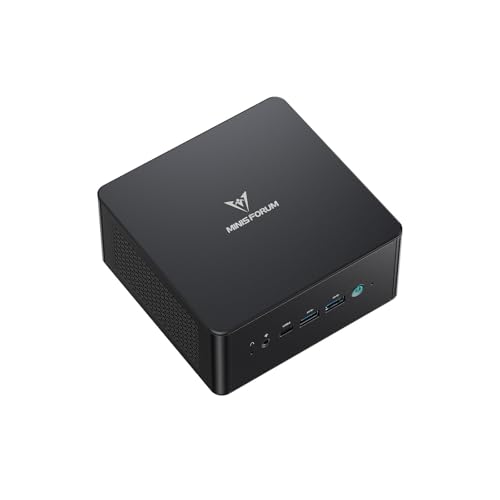
For office applications and everyday business work. It has the lowest current local price among these recommendations. Its installed SSD is 512 GB, compared with 500 GB in Beelink Mini S12 Pro. Its 1 M.2 slots provide more drive locations than the 0 on Apple Mac mini (M6); check which are already occupied. Choose it for replaceable RAM: 1 slots and a documented limit of 16 GB, subject to compatible modules. Choose it when your applications require Windows 11 Pro; check architecture and peripheral support.
Trade-off: There is one built-in wired network port (1GbE); separate physical links need additional hardware. Only one M.2 slot is recorded; adding internal storage may require replacing the current drive. The installed RAM already reaches the recorded 16 GB maximum.
For office applications and everyday business work. Compare its price with ACEMAGIC V1; pay extra only for features you will use. Its installed SSD is 500 GB, compared with 256 GB in Apple Mac mini (M6). Its 1 M.2 slots provide more drive locations than the 0 on Apple Mac mini (M6); check which are already occupied. Choose it for replaceable RAM: 1 slots and a documented limit of 16 GB, subject to compatible modules. Choose it when your applications require Windows 11 Pro; check architecture and peripheral support.
Trade-off: There is one built-in wired network port (1GbE); separate physical links need additional hardware. Only one M.2 slot is recorded; adding internal storage may require replacing the current drive. The installed RAM already reaches the recorded 16 GB maximum.
For office applications and everyday business work. Compare its price with ACEMAGIC V1; pay extra only for features you will use. Choose it when your applications require macOS; check architecture and peripheral support.
Trade-off: Its 16 GB of RAM cannot be upgraded later. There is one built-in wired network port (2.5GbE (10GbE option)); separate physical links need additional hardware. There is no standard M.2 expansion slot recorded; check the manufacturer's storage upgrade options.
Before you choose
Buy for the fleet, not for the specification sheet
For a fleet, compare application compatibility, operating-system edition, management tools, warranty and replacement availability. A Windows deployment and a macOS deployment can have different identity and management requirements. Match the exact configuration to your organization's software and support needs rather than buying on processor specifications alone.
Sixteen gigabytes is the floor, and it is not a generous one
16 GB is a practical starting point for many office workloads. Larger browser sessions, security software, video calls and specialized applications can need more. Check your deployment's measured memory use, warranty, condition and replacement policy; refurbished equipment can also be suitable when those needs are met.
What to check before you buy
Check that the operating-system edition supports your required identity, security and management features. If considering macOS, verify your applications and management tools on Apple Silicon. Confirm the number and type of display outputs, mounting hardware and power supply for each desk.
It varies more than the price does, and it is a property of the machine rather than the monitor. Where the manufacturer publishes a figure we record it; where they do not, the row says not confirmed rather than implying an answer.
Is a refurbished machine a bad idea for business?
Not at all, and it is often the better value. It is simply a different decision, with its own warranty and condition questions, so it is not mixed into this list. The main catalog includes refurbished stock and labels it.
What about deploying several of these?
Check the mounting and the power supply before the specification. A machine that mounts behind the display and takes a standard supply is far easier to deploy in quantity than one that is slightly faster.
Product prices and availability are accurate as of the date/time indicated and are subject to change. Any price and availability information displayed on Amazon.com at the time of purchase will apply to the purchase of this product.