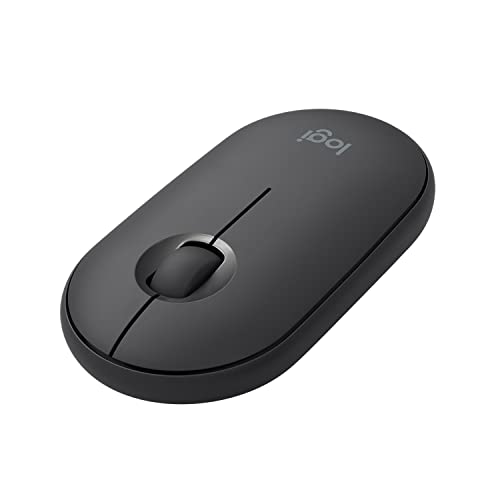
Currently unavailable
Amazon is not showing an offer for this configuration right now.
Part number910-005743
Bluetooth or a USB-A receiver: the Logitech Pebble M350 (part number 910-005743) gives a mini PC owner two ways to connect a wireless mouse. It is for someone who wants a cable-free mouse and has either Bluetooth on the machine or a free USB-A port.
Bluetooth pairs straight with the machine, while the 2.4 GHz link runs through the USB-A receiver. Pick the link that suits your setup: Bluetooth leaves the USB-A port free for something else, and a machine with no free USB-A port has to use Bluetooth.
The part number to match when you shop is 910-005743.
Logitech specification page · read October 21, 2026
Over Bluetooth, the mouse needs a machine with Bluetooth. Over 2.4 GHz wireless, it needs a free USB-A port for the receiver. It fits the ACEMAGIC AM06 Pro, the ASUS NUC 14 Performance, the Apple Mac Studio (M5 Max) and the BMAX MaxMini B4 Ultra, because each can take one of those two connections.
For the ASUS ROG NUC 15 and the BOSGAME M5, we have not confirmed it fits, because we do not know whether either machine has Bluetooth.
Checked against every mini PC sold on amazon.com, from the specifications we hold for each machine.
Logitech does not state the sensor resolution, so we cannot say how fine its tracking is. Check that the ASUS ROG NUC 15 or the BOSGAME M5 has Bluetooth before you count on this mouse for either machine.
Not always. It connects over Bluetooth or 2.4 GHz wireless, and only the 2.4 GHz link uses the USB-A receiver, so a machine with Bluetooth can pair with it directly.
Yes, it fits the Apple Mac Studio (M5 Max), because the mouse offers Bluetooth and a USB-A receiver and the machine can take one of those connections.
No. Logitech does not state the sensor resolution of the Pebble M350, so check the maker's own documentation if tracking precision matters for the work you do.
Product prices and availability are accurate as of the date/time indicated and are subject to change. Any price and availability information displayed on Amazon.com at the time of purchase will apply to the purchase of this product.