Skip to content
MiniPc.Deals

Razer Core X V2 Thunderbolt 5 eGPU Enclosure (UK/EU)

Part numberRC21-02270200-R3M1

The same part under other regional numbers: RC21-02270200-R3U1

The short answer

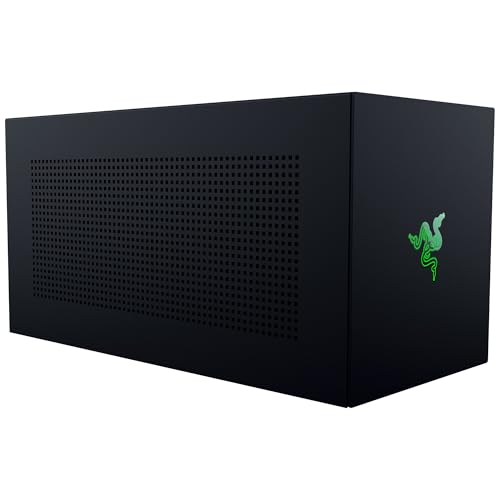
An external desktop graphics card you choose yourself is the purpose of the Razer Core X V2 enclosure. It suits a compatible Windows system when you want to select the GPU and power supply separately; neither is included. Treat the UK/EU regional package as an enclosure purchase, not a complete graphics upgrade ready to use.

Specifications

Razer gives an internal length of 362.7 mm and supports cards up to four slots wide. Compare the whole card, its power connections and clearance with Razer's compatibility information before choosing one. The advertised Thunderbolt 5 link reaches up to 80 Gbps, but a Thunderbolt 4 host does not acquire that bandwidth. Those link figures are not gaming or rendering benchmark results.

Host link
Thunderbolt 5
Host connection
TB5
Ports
Not stated by Razer
Power supply
Not stated by Razer
Maximum card length
362.7 mm
Power delivery
140 W

Razer specification page · read 1 November 2026

Which mini PCs it fits

Check external-graphics support on the exact host before ordering. Razer supports Thunderbolt 5, Thunderbolt 4 and suitable USB4 devices with the necessary external-graphics support; a USB-C socket alone is insufficient. An ASUS NUC 14 Performance is a relevant connection candidate because it has Thunderbolt, but that is not a certified pairing. Firmware, operating-system support and GPU drivers still matter.

Apple-silicon Mac mini and Mac Studio systems do not support eGPUs, even when they have Thunderbolt connections. Do not interpret a physical connection check as proof of software compatibility.

Checked against every mini PC sold on amazon.co.uk, from the specifications we hold for each machine.

Fits, with a note (19)

  • ASUS NUC 14 Performance: Check Razer's Windows requirements, the exact host's external-graphics support, firmware and GPU drivers before buying. Runs at 40 Gbps on this machine's USB4 port, not 80.
  • ASUS NUC 14 Pro: Check Razer's Windows requirements, the exact host's external-graphics support, firmware and GPU drivers before buying. Runs at 40 Gbps on this machine's USB4 port, not 80.
  • ASUS ROG NUC: Check Razer's Windows requirements, the exact host's external-graphics support, firmware and GPU drivers before buying. Runs at 40 Gbps on this machine's USB4 port, not 80.
  • ASUS ROG NUC 16: Check Razer's Windows requirements, the exact host's external-graphics support, firmware and GPU drivers before buying. Runs at 40 Gbps on this machine's USB4 port, not 80.
  • Beelink SER8: Check Razer's Windows requirements, the exact host's external-graphics support, firmware and GPU drivers before buying. Runs at 40 Gbps on this machine's USB4 port, not 80.
  • BOSGAME M5: Check Razer's Windows requirements, the exact host's external-graphics support, firmware and GPU drivers before buying. Runs at 40 Gbps on this machine's USB4 port, not 80.
  • GEEKOM A9 Mega: Check Razer's Windows requirements, the exact host's external-graphics support, firmware and GPU drivers before buying. Runs at 40 Gbps on this machine's USB4 port, not 80.
  • GMKtec EVO-X2: Check Razer's Windows requirements, the exact host's external-graphics support, firmware and GPU drivers before buying. Runs at 40 Gbps on this machine's USB4 port, not 80.
  • GMKtec M8: Check Razer's Windows requirements, the exact host's external-graphics support, firmware and GPU drivers before buying. Runs at 40 Gbps on this machine's USB4 port, not 80.
  • GMKtec NucBox K11: Check Razer's Windows requirements, the exact host's external-graphics support, firmware and GPU drivers before buying. Runs at 40 Gbps on this machine's USB4 port, not 80.
  • GMKtec NucBox K13: Check Razer's Windows requirements, the exact host's external-graphics support, firmware and GPU drivers before buying. Runs at 40 Gbps on this machine's USB4 port, not 80.
  • GMKtec NucBox K8 Plus: Check Razer's Windows requirements, the exact host's external-graphics support, firmware and GPU drivers before buying. Runs at 40 Gbps on this machine's USB4 port, not 80.
  • GMKtec NucBox M6 Ultra: Check Razer's Windows requirements, the exact host's external-graphics support, firmware and GPU drivers before buying. Runs at 40 Gbps on this machine's USB4 port, not 80.
  • HP Z2 Mini G1a: Check Razer's Windows requirements, the exact host's external-graphics support, firmware and GPU drivers before buying. Runs at 40 Gbps on this machine's USB4 port, not 80.
  • MINISFORUM MS-01: Check Razer's Windows requirements, the exact host's external-graphics support, firmware and GPU drivers before buying. Runs at 40 Gbps on this machine's USB4 port, not 80.
  • MINISFORUM MS-02 Ultra: Check Razer's Windows requirements, the exact host's external-graphics support, firmware and GPU drivers before buying. Runs at 40 Gbps on this machine's USB4 port, not 80.
  • MINISFORUM MS-02 Ultra 235HX: Check Razer's Windows requirements, the exact host's external-graphics support, firmware and GPU drivers before buying. Runs at 40 Gbps on this machine's USB4 port, not 80.
  • MINISFORUM MS-S1 Max: Check Razer's Windows requirements, the exact host's external-graphics support, firmware and GPU drivers before buying. Runs at 40 Gbps on this machine's USB4 port, not 80.
  • MINISFORUM UM890 Pro: Check Razer's Windows requirements, the exact host's external-graphics support, firmware and GPU drivers before buying. Runs at 40 Gbps on this machine's USB4 port, not 80.

Not confirmed (4)

Does not fit (20)

Before you buy

Budget the required equipment as a whole: enclosure, compatible card and suitable ATX power supply. Razer advises allowing for the graphics card's power requirement plus an additional 230 W for the enclosure. Up to 140 W of host power delivery is a separate function, not the graphics card's power supply. Compare the complete setup with a computer that already contains the GPU you need.

Common questions

Are a graphics card and power supply included?

No. Razer sells the Core X V2 as an enclosure requiring a separate compatible graphics card and ATX power supply. Confirm the regional package and any seller-added bundle rather than assuming those parts are supplied.

Will it work with an Apple-silicon Mac?

No: Razer explicitly excludes M1 and later Macs from eGPU support. A Thunderbolt connection on a Mac mini or Mac Studio does not change that limitation.

Product prices and availability are accurate as of the date/time indicated and are subject to change. Any price and availability information displayed on Amazon.co.uk at the time of purchase will apply to the purchase of this product.