£166.97
Part number24G4HA
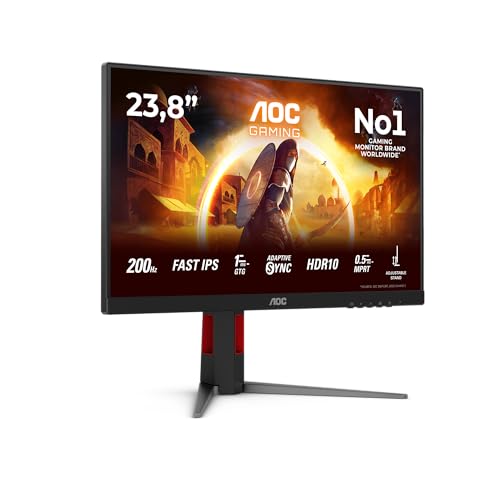
A 200 Hz refresh rate on a 1920x1080 screen is what defines the AOC 24G4HA, a 24" Fast IPS monitor. It suits a mini PC owner who wants a compact, smooth desk display and has a spare HDMI or DisplayPort output. It also has speakers built in.
The 24" Fast IPS panel runs 1920x1080 at 200 Hz. You only see that refresh rate if your machine's output and cable carry it, so check the port on your mini PC.
HDR10 is supported, and the built-in speakers cover basic sound without extra gear. With one HDMI and one DisplayPort input, two machines can share the screen by switching inputs.
AOC specification page · read 21 October 2026
The rule is simple: this monitor takes video over HDMI or DisplayPort, so the mini PC needs one of those outputs. It has no USB-C video input, so a USB-C port alone will not drive it.
The Apple Mac Studio (M5 Max), BMAX MaxMini B4 Ultra, Beelink EQ14 and Dell Pro Max Micro FCM2250 fit, because each has an output that matches one of those inputs. For the ASUS ROG NUC 15 and BOSGAME M5, we have not confirmed it fits, since their HDMI outputs are not known.
Checked against every mini PC sold on amazon.co.uk, from the specifications we hold for each machine.
There is no USB-C video input, so video must come over HDMI or DisplayPort. AOC does not state the DisplayPort version, HDMI version, USB-C power delivery, Thunderbolt input, KVM switch, daisy chain out, HDR certification or VESA mount. If you plan to use an arm, confirm the mount first.
No. The monitor has no USB-C video input, so your mini PC has to connect through its HDMI or DisplayPort output, using whichever cable matches that port.
Yes, the Beelink EQ14 fits, as do the Apple Mac Studio (M5 Max), BMAX MaxMini B4 Ultra and Dell Pro Max Micro FCM2250. The ASUS ROG NUC 15 and BOSGAME M5 are not confirmed.
AOC does not state VESA mount support for this monitor, so we cannot say it takes an arm. Confirm the mount before buying if you want one.
Product prices and availability are accurate as of the date/time indicated and are subject to change. Any price and availability information displayed on Amazon.co.uk at the time of purchase will apply to the purchase of this product.